
How to Choose a Restaurant POS System in Pakistan: A 2026 Buyer's Checklist
Opening a restaurant, cafe or fast food outlet in Pakistan means handling many things at once: tables, kitchen orders, takeaway, delivery riders, staff and daily cash. A good POS system holds all of this together. A poor one slows your counter and confuses your kitchen.
This checklist will help you choose a restaurant POS system that fits how your business actually works.
1. Does it handle table management?
If you serve dine-in customers, you need to know which table ordered what, and which tables still have unpaid bills. Your POS should let the cashier or waiter attach every order to a table number and keep that bill open until the customer pays.
Ask the vendor: Can I see open tables at a glance? Can I add items to an existing table's bill?
2. Does it support KOT and a kitchen display?
A KOT (Kitchen Order Ticket) sends the order from the counter to the kitchen. A Kitchen Display System (KDS) shows those orders on a screen in the kitchen, so there is no paper to lose and no shouting across the room.
Good kitchen features also include notes per order (for example, "no onions" or "extra spicy") and clear order status such as new, preparing and ready.
Ask the vendor: Do kitchen notes reach the kitchen screen? Can the kitchen mark an order as ready?
3. Can it manage dine-in, takeaway and delivery together?
Most restaurants sell in more than one way. Your POS should treat dine-in, takeaway and delivery as order types inside the same system, with the same menu and the same reports. If delivery is part of your business, look for rider assignment and delivery timestamps, so you know who took which order and when.
4. Is FBR integration included?
Depending on your business category and size, you may need to report your sales invoices to the FBR (Federal Board of Revenue). It is much easier when your POS does this as part of normal billing, instead of someone entering invoices again by hand.
Ask the vendor: Is FBR integration included in the price, or is it an extra? Who helps with the setup? Also confirm with your accountant or tax advisor whether FBR integration applies to your outlet.
You can read more about how this works on our FBR compliance page.
5. Are the reports useful?
At the end of the day, you want to know three things: how much you sold, how much came in by cash, card or other methods, and which cashier handled what. Look for a daily sales summary, a cashier summary with payment split, and an overview of your orders.
If you cannot see your numbers clearly, you cannot fix your costs.
6. Can you track stock and waste?
Food costs add up quickly. Even if you start simple, choose a POS that can grow into stock tracking, and that lets you record waste with a reason (spoiled, dropped, returned). Over a few months, this shows you where money is leaking.
7. Can your staff learn it quickly?
Restaurant staff turnover is real. A system that takes two weeks to learn is a problem. Check that the screens are simple, that you can create separate users with roles (such as admin, cashier and kitchen), and that the vendor offers video tutorials or training.
8. Is the pricing clear?
Ask for the full price before you sign up. Find out:
- Is it monthly or a one-time purchase?
- Is the price per outlet?
- Are essential features locked behind a higher plan?
- Is there a free trial, and does it ask for a credit card?
Hidden costs are the most common reason restaurant owners regret their POS choice.
9. What happens when you need help?
Sooner or later, something will not work during a busy dinner rush. Ask how you can reach support (phone, WhatsApp, email), and whether they help with setup and training. Also ask whether an offline option exists if your internet is unreliable.
Common mistakes to avoid
- Choosing only by price, and ignoring kitchen and table features
- Buying a retail POS and hoping it will work for a restaurant
- Skipping the demo
- Not asking about FBR integration until after you buy
- Forgetting that your staff must be able to use it on day one
A quick checklist you can copy
- Table management
- KOT and kitchen display
- Dine-in, takeaway and delivery in one system
- FBR integration included
- Daily sales and cashier reports
- Stock and waste tracking
- Staff roles and easy training
- Clear pricing with no surprise charges
- Reliable support
Where does Amanat POS fit?
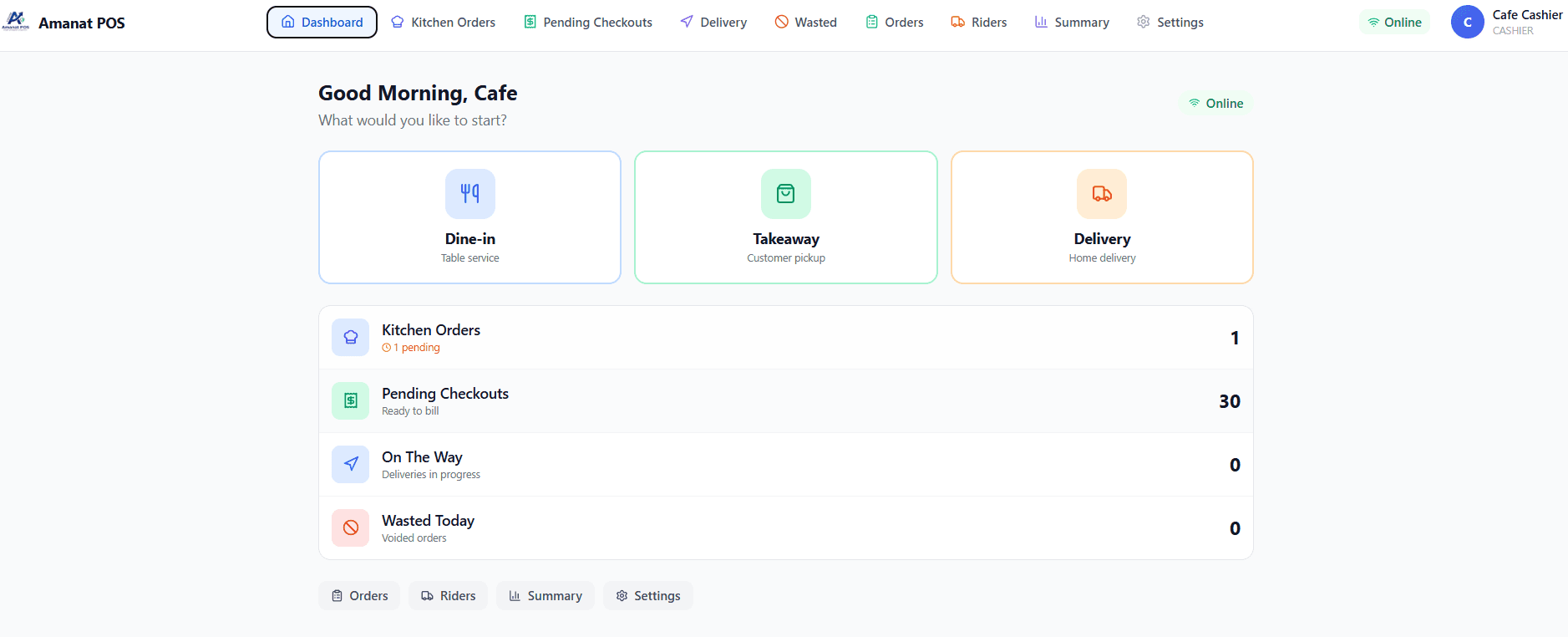
Amanat POS is built for Pakistani businesses, with a dedicated Restaurant Edition that covers table management, KOT, Kitchen Display System, order status tracking, rider dispatch and FBR integration. The Restaurant Edition costs Rs. 5,999 per month per outlet, and the first month is free, with no credit card required. You can see all editions on our pricing page.
The best way to judge any POS is to try it with your own menu. You can book a demo or start your free trial and see if it fits your restaurant.
Frequently asked questions
What is the best POS system for a restaurant in Pakistan? The best POS is the one that matches your workflow: table service, kitchen orders, delivery and reporting, with FBR integration and clear pricing. Use the checklist above and always test with a demo.
Do restaurants need a different POS from shops? Yes. Restaurants need table management, kitchen order tickets and kitchen display, while shops focus on barcodes and stock. A restaurant-specific POS saves a lot of daily friction.
Can I try a restaurant POS before paying? Many vendors offer a trial or demo. With Amanat POS, the first month is free on every edition.
Ready to streamline your business?
See how Amanat POS can help you manage billing, inventory, and operations — all in one system.